See what changed.
Even what you didn't change.
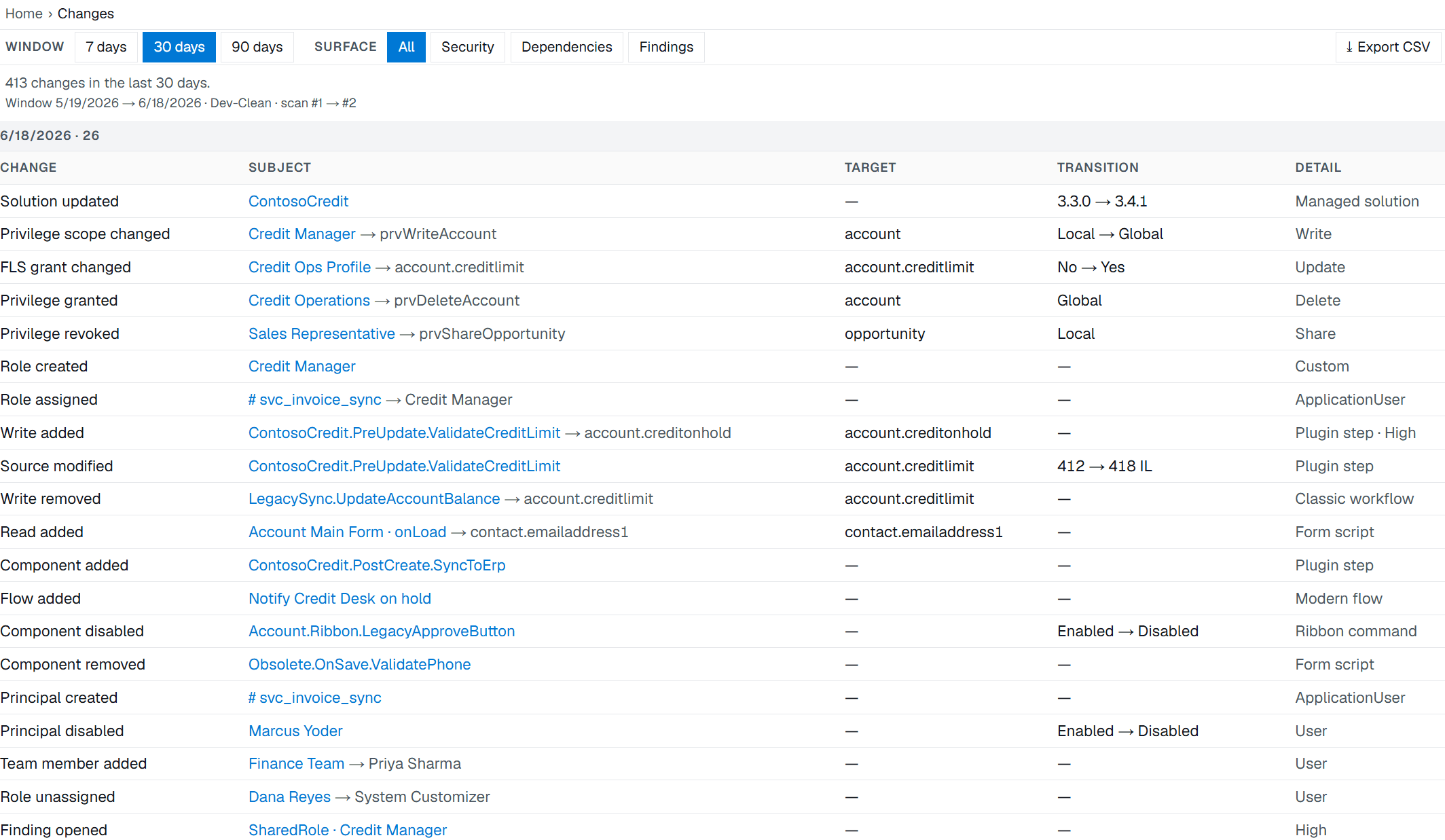
Pathix diffs every scan against the last. A privilege that appeared overnight, or a role the platform widened on its own, shows up as a change before it becomes an incident. The same scan answers the questions you field all day: who can write this, what touches that.
Your role editor shows you the state. Pathix shows you the delta.
Every scan is compared against the one before it: new and removed writers, source changes, and security deltas down to a single privilege grant or a role that moved from Local to Global. It also catches the changes you did not make. When Microsoft auto-grants a new custom role a stack of SharePoint privileges you never set, Pathix shows you.
A deterministic diff of one scan against the next, with no AI and no inference in it. This exists now, and it did not before.
Every touchpoint on a column, ranked by salience.
Search a column and Pathix opens its Touchpoints: everything that writes it and everything that reads it, in one list ranked by salience. Plugins, workflows, flows, form scripts and canvas apps all land in the same view, so you click through to a component instead of opening assemblies one at a time. The classic writers-and-dependents split is one tab over, as Split view.
This maps what canwrite a column, and what changed between scans. Naming who wrote a specific value at runtime stays Dataverse auditing's job. Pathix narrows the suspects to the few components that could have.
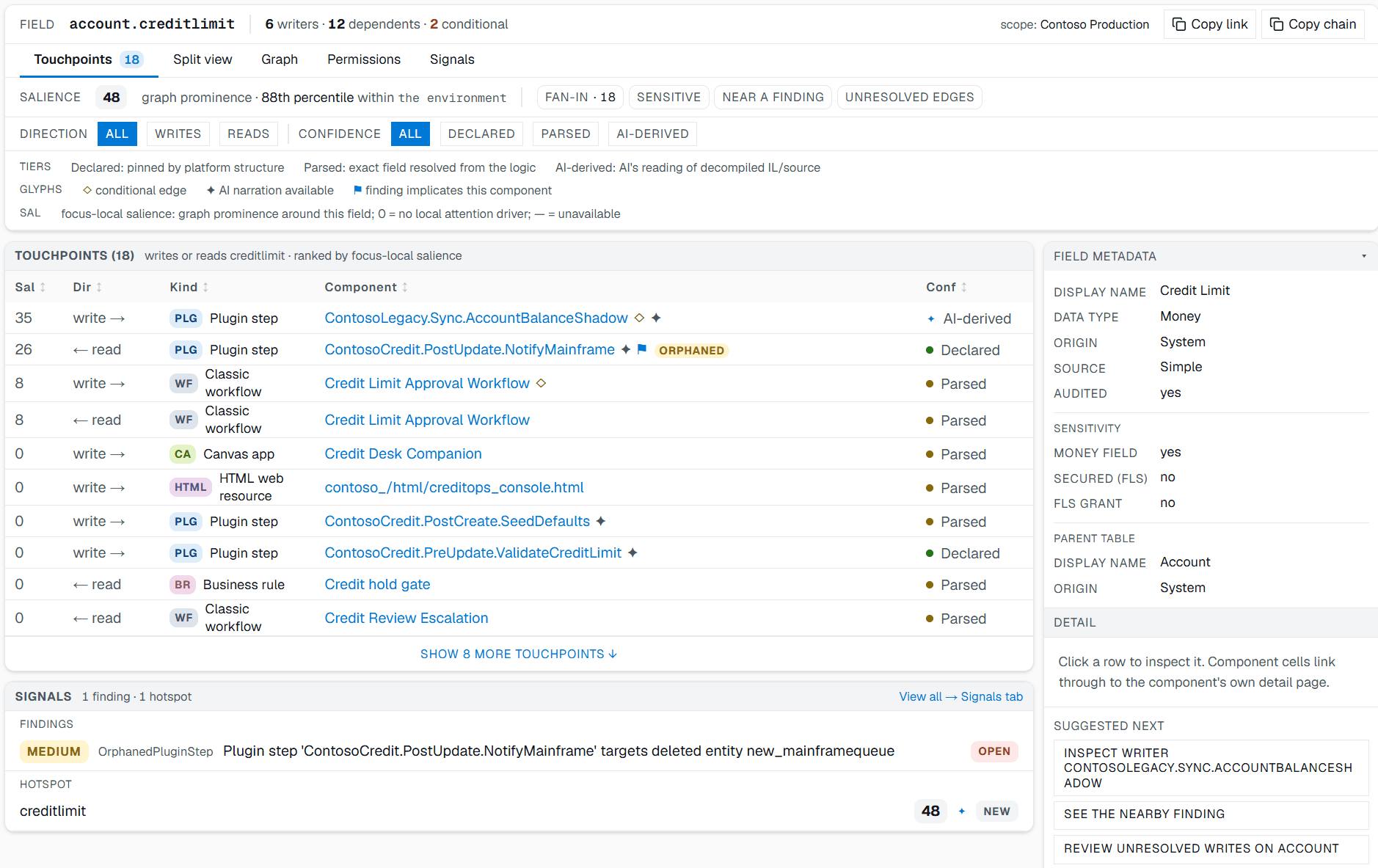
With AI on: AI-derived edges surface the dynamic and late-bound writes static parsing can't prove on its own, each one labeled and coupled to its evidence.
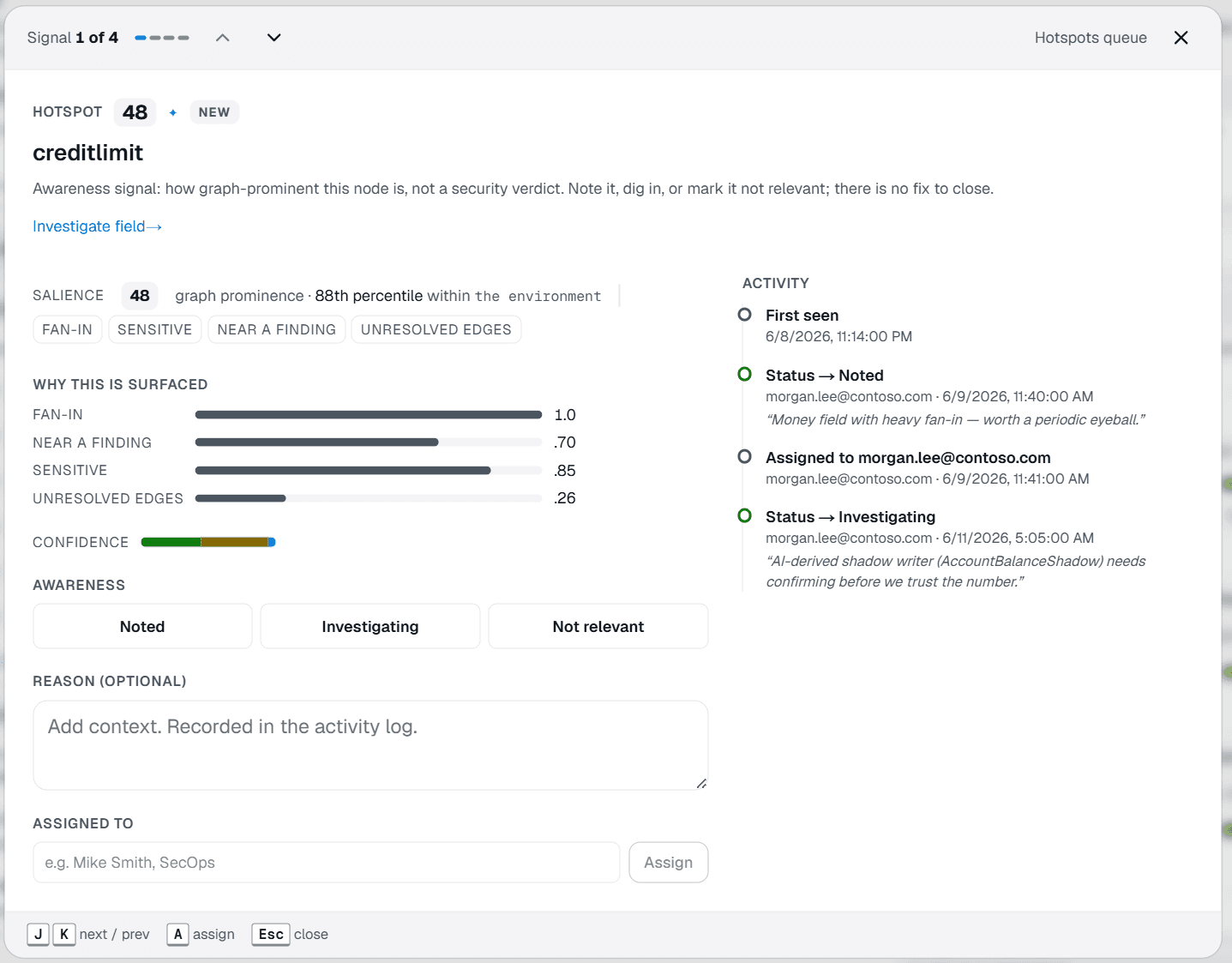
Not just what's prominent. A queue you can work.
Salience ranks the columns and components that stand out in the graph, noisiest first. It is never a risk ranking. Each hotspot shows why it surfaced, and you note it, dig in, or set it not relevant with a reason that sticks. There is no fix to close: a hotspot is awareness, not a verdict.
Resolve access from either end.
Ask from the user and you get everything that person can reach, resolved across every role and team they belong to. Ask from the column and you get every principal that can write it, with the path each one took. The catch usually hides in the path: the user who still has write access through a team nobody thought to audit.
FROM THE USER · WHAT CAN THEY TOUCHFROM THE COLUMN · WHO CAN TOUCH IT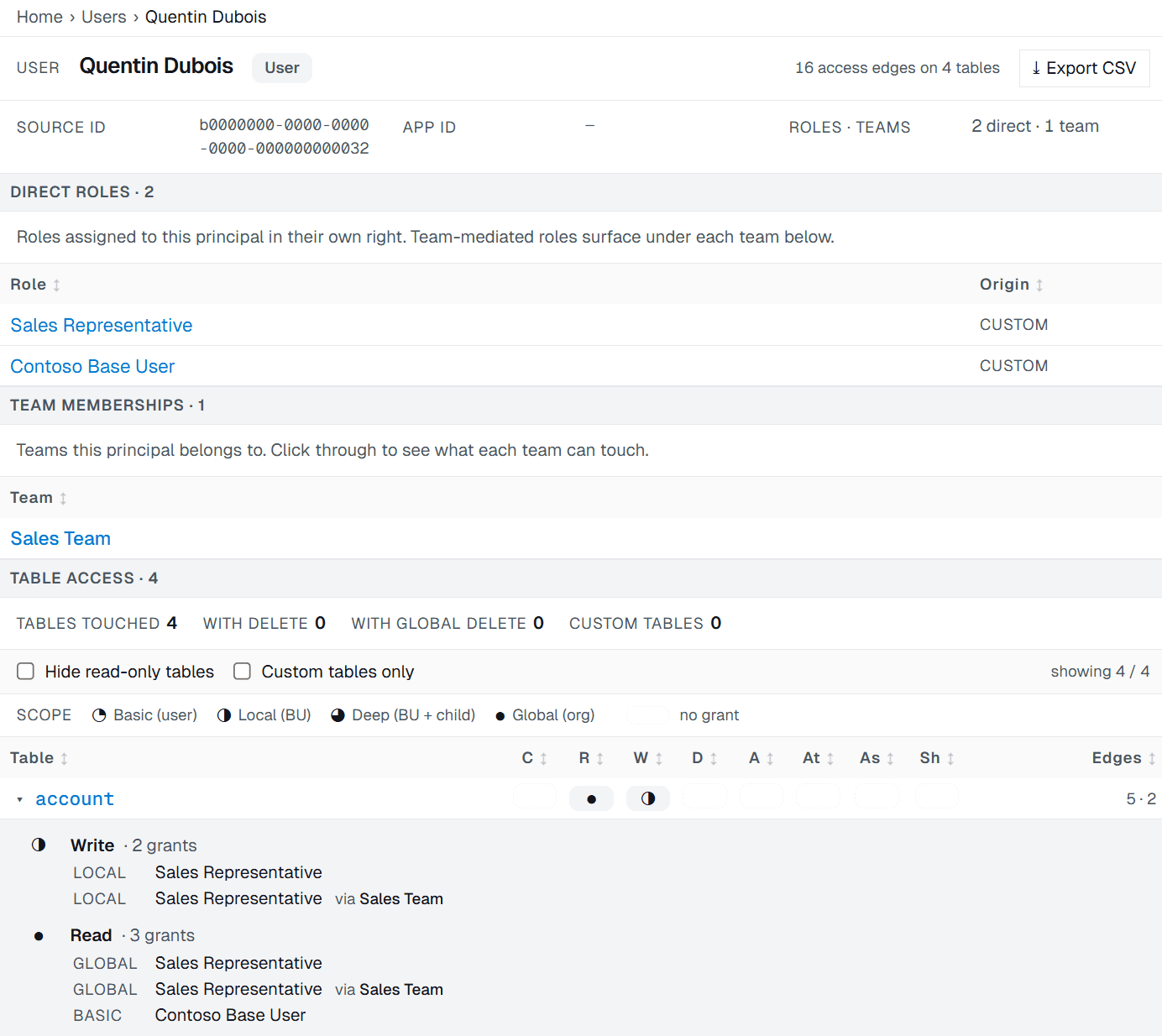
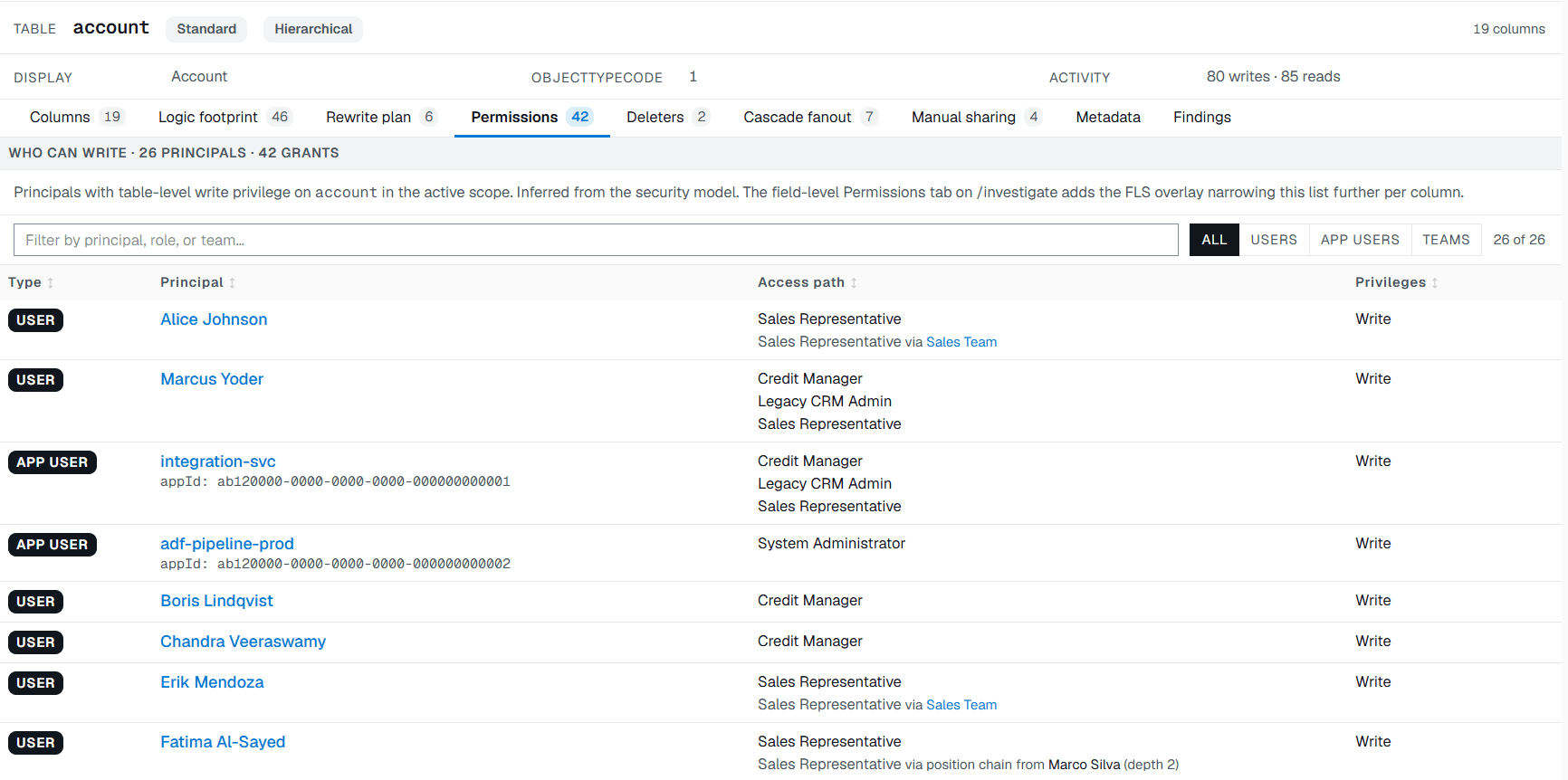
With AI on: hand the incident to an agent over the Pathix MCP and it traces who can reach the column and how, while you read the answer.
The column that's secured, and unreadable by everyone.
Pathix surfaces which columns are secured and which profiles actually grant access to them. That includes the gap that quietly breaks things: a column secured with no profile granting read, invisible to the people meant to see it. The System Administrator bypass is accounted for, so what you are looking at is real exposure.
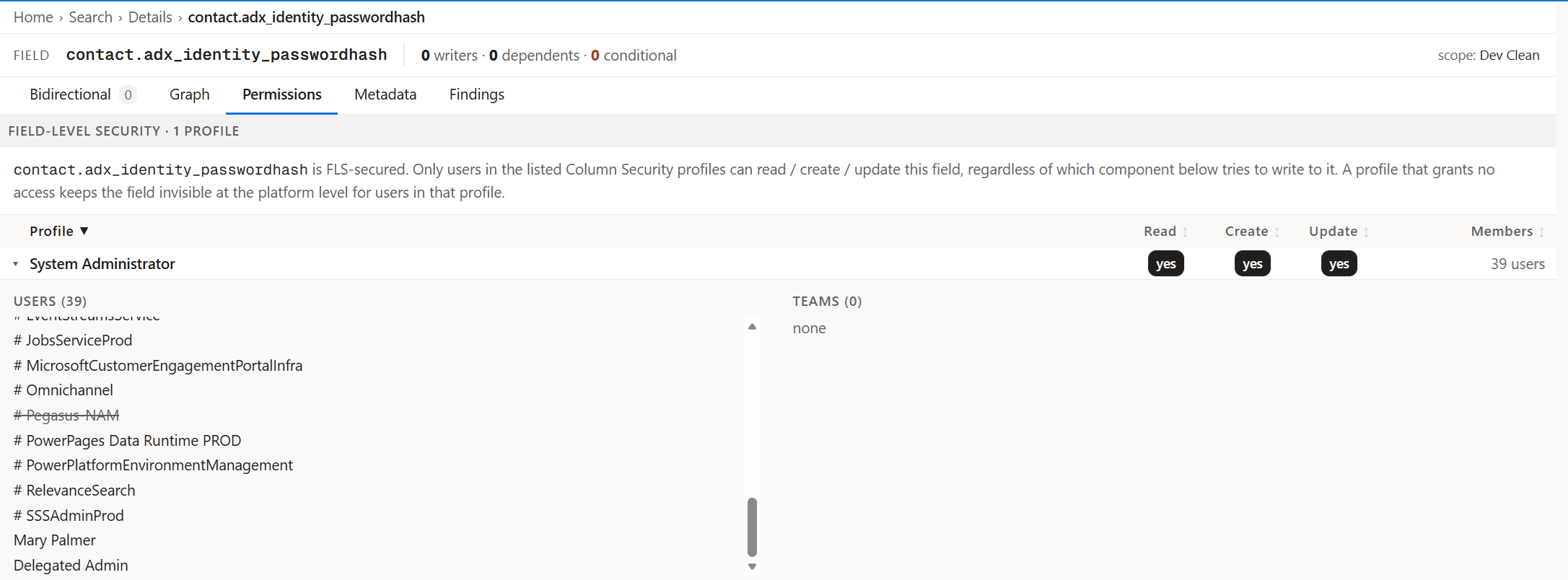
An audit on every scan, not a project.
Every scan runs a security audit against the real customization graph: a privileged role shared between a human and an integration account, a disabled user that still holds its roles, an application user that can write to the security model. Each finding is ranked, assigned, and tracked from open to mitigated, with a decision log that is audit-grade by the time anyone asks.
The full security workbench: the console, every finding, and the trend →
See what Pathix finds in a real environment.
A 30-minute walkthrough on a pre-scanned demo environment. No access to your tenant, nothing to install.